

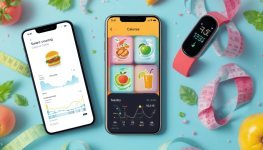
1. MyFitnessPal
Best for: All-around tracking and large food database
MyFitnessPal is one of the most popular calorie counting apps with over 14 million food items in its database. It allows you to scan barcodes, save meals, and integrate with dozens of fitness devices.
Key features:
- Huge food database
- Barcode scanner for easy logging
- Tracks calories, macros, and micros
- Strong community support
Pros:
 Very easy to use Connects with most fitness trackers Strong free version
Cons:
 Free version has ads Some features (like detailed reports) are behind a paywall
2. Lose It!
Best for: Simplicity and beginners
Lose It! is designed for people who want a straightforward, beginner-friendly calorie counting app. It provides personalized calorie budgets and simple goal tracking.
Key features:
- Barcode scanner
- Personalized calorie goals
- Basic meal planning
- Visual reports of progress
Pros:
Easy-to-use interface Great for beginners Active community challengesCons:
Smaller database compared to MyFitnessPal Premium plan needed for advanced insights3. Cronometer
Best for: Detailed nutrient tracking
If you want more than just calorie counting, Cronometer is perfect. It focuses on micronutrients (vitamins and minerals) and gives you a deeper insight into nutrition.
Key features:
- Tracks calories, macros, and micros
- Supports custom foods and recipes
- Data sync with fitness devices
- Gold subscription for advanced analytics
Pros:
Very accurate nutrition tracking Perfect for athletes or those with specific dietary needs Excellent for keto, vegan, and other dietsCons:
Interface less user-friendly Some features only in paid version4. Yazio
Best for: Personalized diet plans
Yazio combines calorie counting with personalized meal plans and fasting trackers. It’s ideal if you want structured guidance rather than just tracking numbers.
Key features:
- Calorie and macro tracking
- Meal planning and fasting options
- Recipes with nutritional breakdown
- Integration with Apple Health, Fitbit, and Garmin
Pros:
Modern, clean design Combines tracking with guided nutrition plans Good for intermittent fasting usersCons:
Limited free version Smaller food database5. Lifesum
Best for: Diet styles and aesthetics
Lifesum is a stylish app that focuses on helping users adopt healthier eating habits with meal plans, recipes, and diet suggestions.
Key features:
- Tracks calories and macros
- Meal plans (keto, paleo, high-protein, etc.)
- Integration with health trackers
- Simple food diary
Pros:
Beautiful design Motivating and easy to use Offers diet-specific supportCons:
Free version is very limited Premium needed for full access6. Noom
Best for: Psychology-driven weight loss
Noom goes beyond calorie counting by incorporating behavioral psychology to help change eating habits. It’s more of a coaching program than a simple tracker.
Key features:
- Daily lessons and quizzes
- One-on-one coaching
- Calorie tracking with emphasis on food quality
- Focus on long-term lifestyle change
Pros:
Holistic approach to weight loss Great for those struggling with motivation Helps with sustainable lifestyle changesCons:
Expensive subscription May feel overwhelming for users who just want simple tracking How to Choose the Right App
When selecting a calorie counting app, ask yourself:
- What’s my main goal? Weight loss, muscle gain, or balanced nutrition?
- Do I need simplicity or detail? Beginners may prefer Lose It! while advanced users may love Cronometer.
- Do I want coaching or community? MyFitnessPal and Noom offer strong support systems.
- Will I pay for premium? Decide if you’re willing to invest for more features.
Tips for Effective Calorie Tracking
- Be consistent: Log daily, even if you go over your calorie target.
- Use a food scale: Estimations are often inaccurate.
- Don’t aim for perfection: Missing one entry isn’t a failure — focus on the overall trend.
- Track snacks and drinks: Hidden calories often come from beverages and small bites.
- Pair with movement: Sync your app with a fitness tracker for a complete picture of calories in vs. calories out.
Final Thoughts
The best calorie counting apps make nutrition tracking easy, motivating, and effective. Whether you choose the simplicity of Lose It!, the depth of Cronometer, or the all-around power of MyFitnessPal, consistency is the real secret to results.
Start small, log daily, and let the data guide your habits. With the right app and mindset, calorie counting becomes less of a chore and more of a powerful tool for building a healthier lifestyle.


